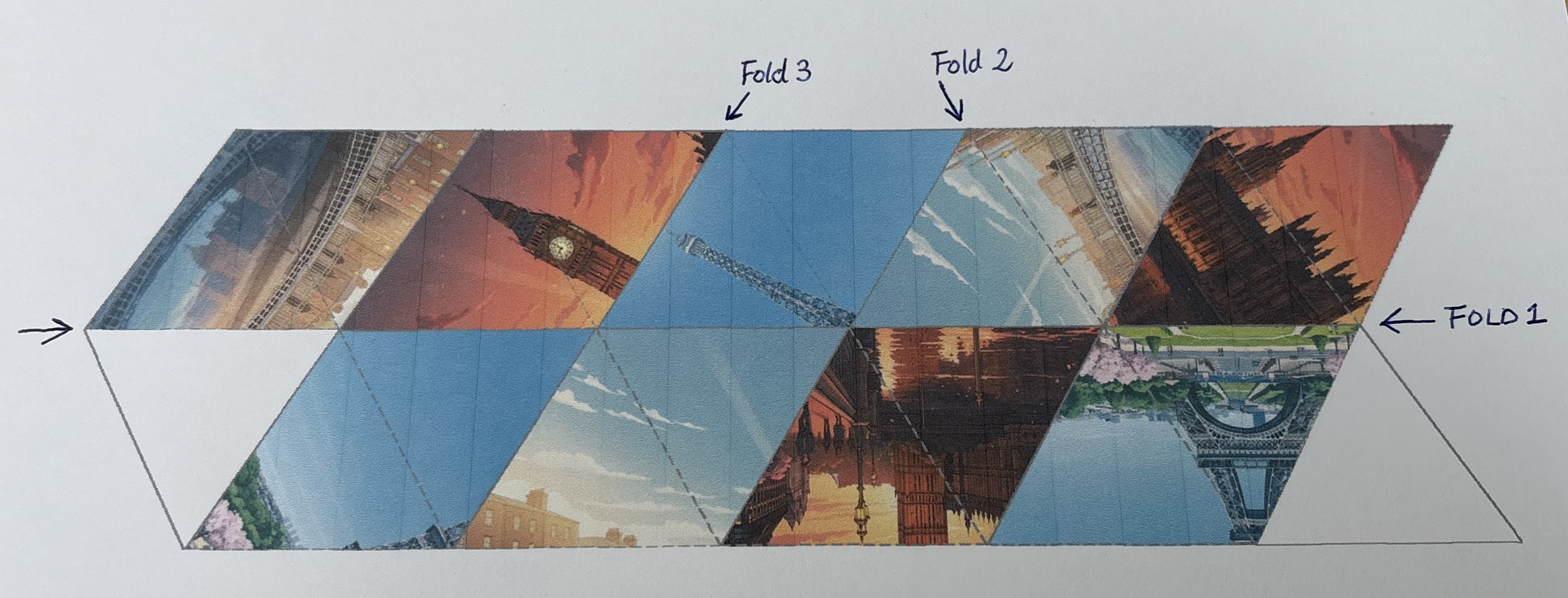
Step 1: Cut Out the Template
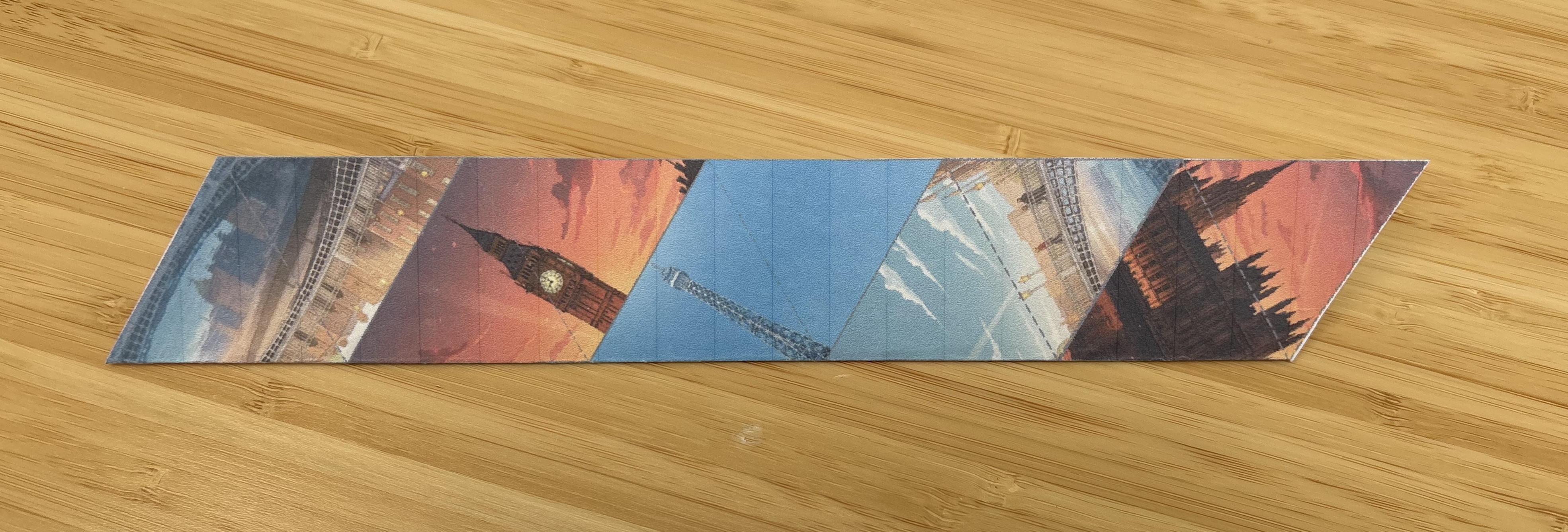
Cut out the hexaflexagon shape along the outer solid lines.
Step 2: First Fold
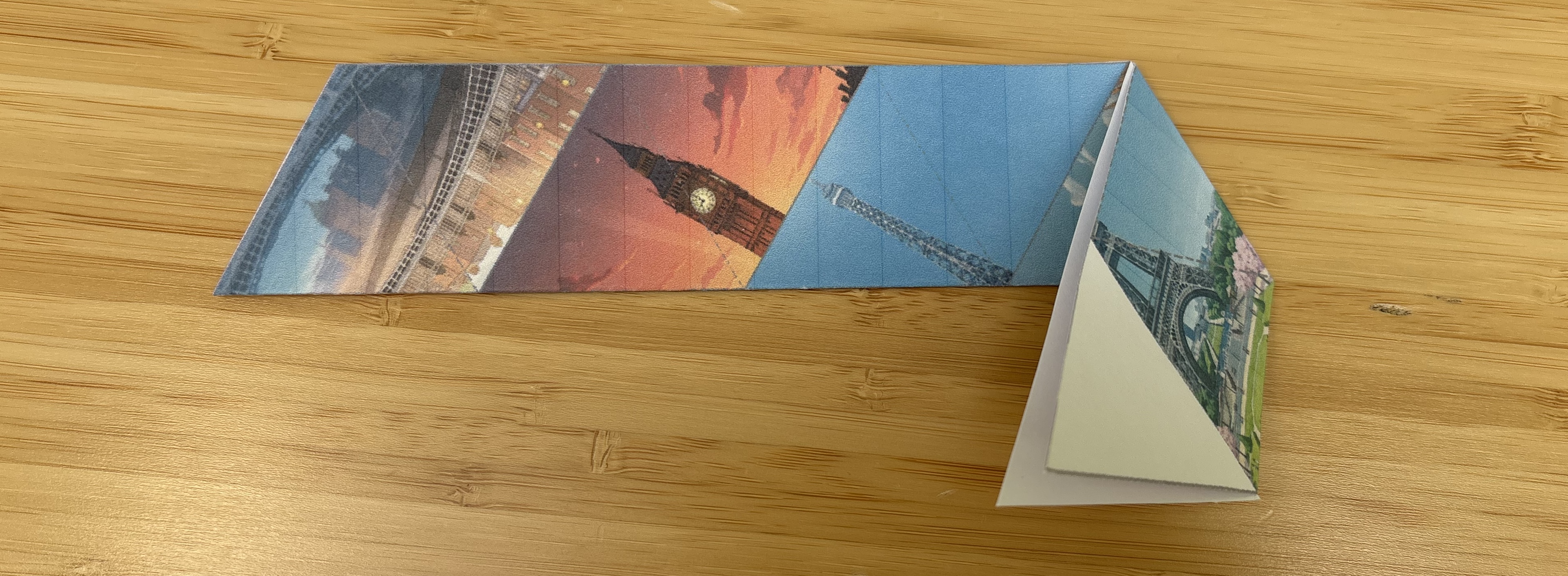
Fold along the long horizontal dashed line in the middle.
Step 3: Second Fold
Fold along the second line as indicated in the first image above.
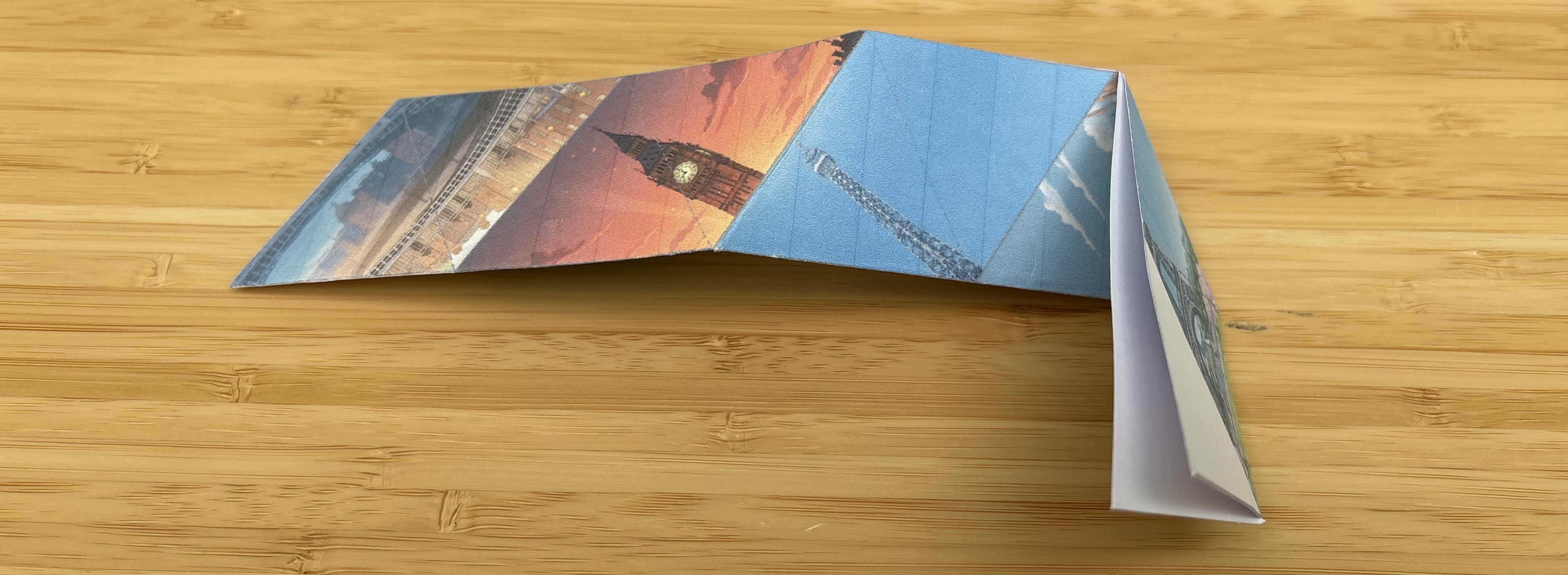
Step 4: Third Fold
Fold along the third line as indicated in the first image above to the back.
Step 5: Check Your Progress
Now, you should see one of your images displayed as shown below.
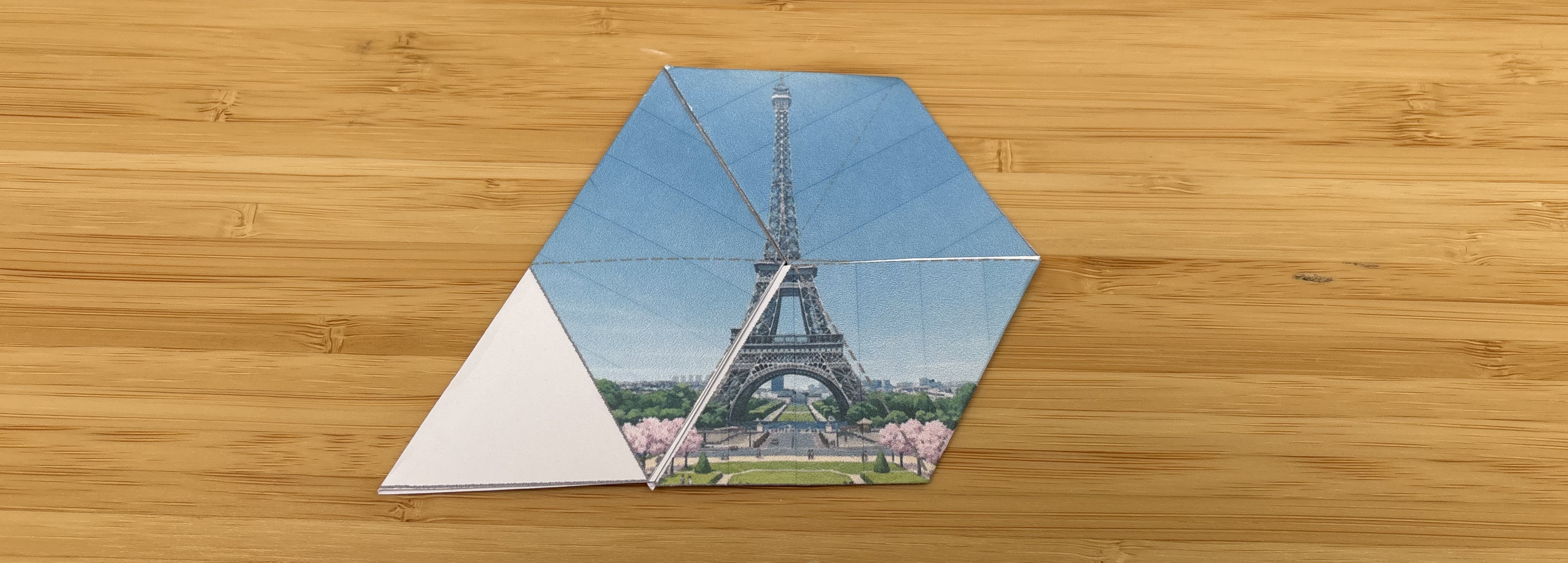
Step 6: Final Assembly
Fold the white triangle flap inward along the dashed line, and then glue it to the other white triangle underneath.

Step 7: Finished!
You're done! Now you can flex your hexaflexagon to reveal the different faces with your images.
Watch this video to see how to flex through the different faces:
Watch Demo Video